Sep 02, 2026
A shop manager receives an urgent order for 200 brackets, each with six bends and a different material thickness. Before starting, someone must calculate flat pattern lengths, plan bend sequences, and enter dozens of coordinates into the press brake. With modern CAM programming for CNC machines, that work does not require hours of manual math or a stack of paper drawings. A CAD model, a few inputs, and one verification pass produce a machine-ready program, even on a mid-afternoon deadline.
Content
CAM stands for Computer-Aided Manufacturing. It is the step where a CAD design is converted into a CNC program that a controller can read. On a CNC press brake, that program carries data such as the Y-axis stroke, backgauge depth, punch and die selection, crowning values, and the order of bends. On a shearing machine, it controls backgauge movement, blade gap, and cutting sequence.
The term "CAM program CNC" simply describes this workflow: use CAM software to produce the program that drives the CNC machine. CAM does not replace the operator. It removes the routine numerical work that slows down setup and makes quality inconsistent. If the part is simple, an operator may still enter one or two values manually. If the part has many bends or uses difficult material, CAM becomes essential.
Manual programming on a press brake requires calculating flat pattern development, bend allowance, punch travel, and sequence. With more bends, the operator performs more tests, adjusts angles, and risks scrap. Each adjustment might seem small, but they accumulate over a batch.
CAM software changes that loop. It computes the flat pattern automatically, recommends a bend sequence that avoids collisions and reduces handling, and applies material-specific compensation so the first bend is more likely to hit the target angle. The result is a faster setup, less scrap, and more consistent parts.
The impact shows up in daily production. What once took a skilled operator forty minutes can take two minutes on a computer plus one test piece. In a busy shop, the press brake is often the bottleneck. Shortening programming time creates real capacity without adding another machine.
A CAM program for CNC sheet metal equipment is only as useful as its ability to talk to your machine. These are the core features to evaluate when adding a CAM package.
| Feature | What It Does | Why It Matters |
|---|---|---|
| CAD/DXF import | Reads parts directly from SolidWorks, AutoCAD, or neutral formats. | Removes manual redrawing and saves time. |
| Post-processor library | Generates code for different controllers (Delem, ESA, Cybelec, etc.). | Ensures your machine can use the program. |
| Bend sequence optimizer | Calculates the best order of bends. | Reduces part handling and collision risks. |
| Collision detection | Simulates tooling and part during bending. | Prevents crashes and tool damage. |
| Springback compensation | Adjusts angle values for material behavior. | Improves first-article accuracy. |
The post-processor deserves special attention. A program may look perfect on the screen, but if the controller cannot read the syntax, the machine will not move. Look for preconfigured profiles for common controllers. If your machine is from a smaller manufacturer, ask the CAM vendor or the machine builder for a custom post-processor.
Springback is the tendency of a bent metal sheet to return slightly toward its original shape. The amount depends on material grade, thickness, and bend radius. Carbon steel might spring back one to two degrees, while stainless steel can spring back two to four degrees.
CAM software applies a compensation value to the programmed angle. If the target is 90 degrees and the material springs back 1.5 degrees, the program tells the machine to bend to 88.5 degrees. The material then relaxes to 90 degrees after release. Without this compensation, the operator must tune each bend manually.
Once the program is ready, the machine must accept it and execute it with precision. This is where the controller and the machine design come into play. A machine with flexible controller support and stable axes lets you get the most from the CAM investment.
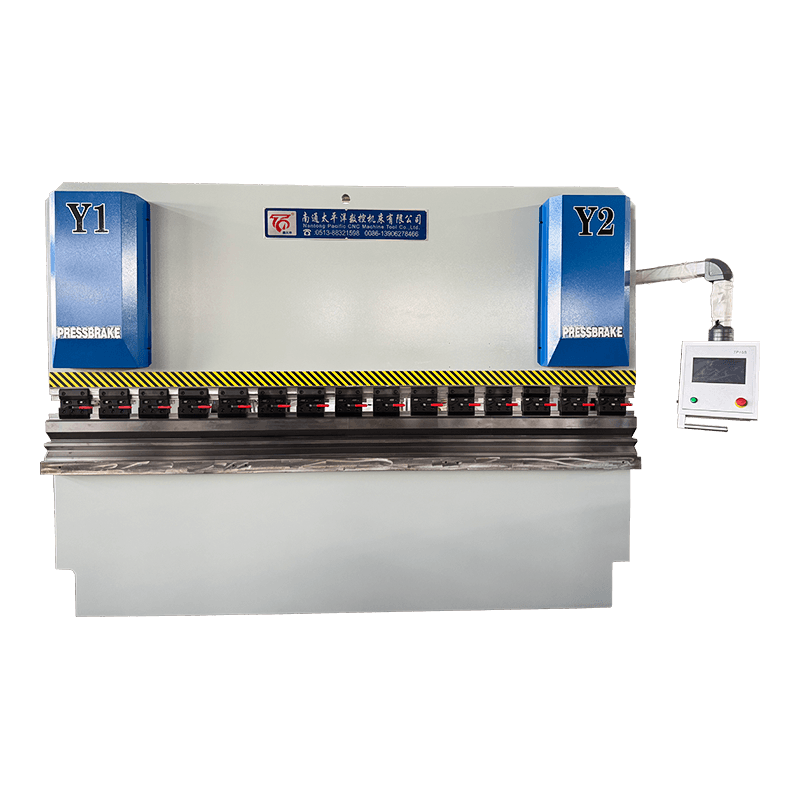
For high-precision sheet metal forming, the WE67K series electrohydraulic servo CNC hydraulic sheet metal bending machine is a strong match. This machine uses an electrohydraulic servo system to control the Y1/Y2 axes with high repeatability, which helps CAM-generated programs produce consistent angles across a batch. The WE67K also offers a crowning table in many configurations, reducing deflection and improving part accuracy.
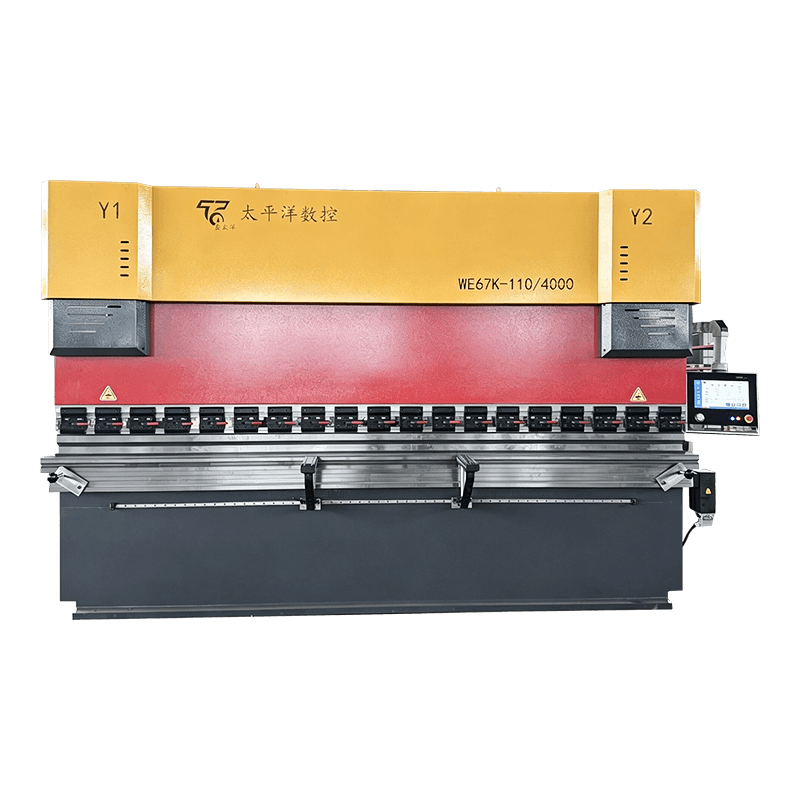 WE67K Series Electro-Hydraulic Servo CNC Press Brake for High-Precision BendingThis high-end press brake features electro-hydraulic servo control for Y1/Y2 axes, ensuring high repeatability and consistent angles across batches. With a crowning table in many configurations, it reduces deflection and improves part accuracy, making it ideal for precision sheet metal forming.View Product →
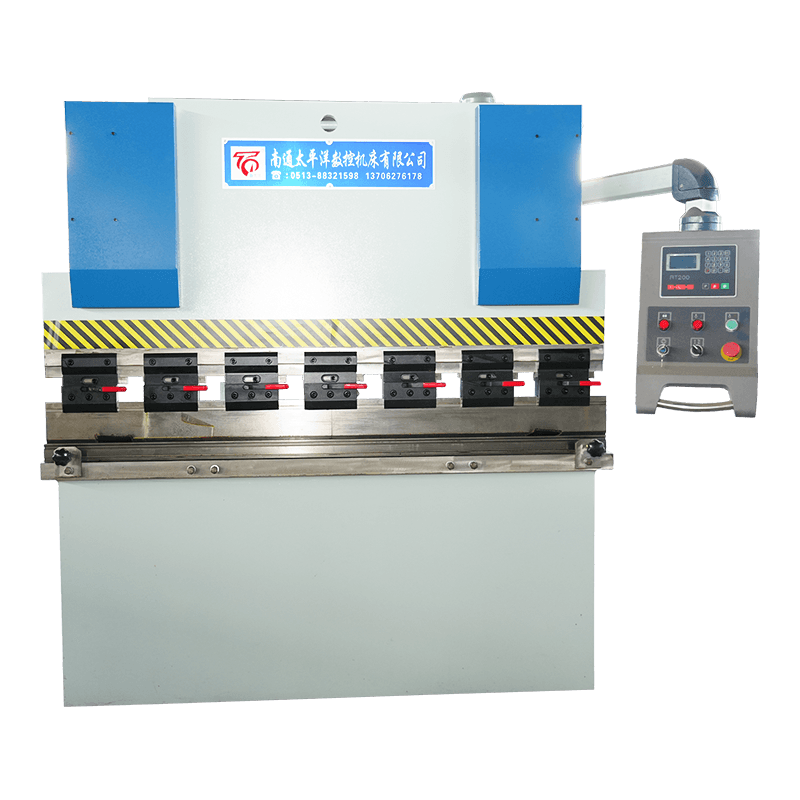
For shops that want a more economical entry to CNC bending, the WC67K series torsion-axis synchronous CNC hydraulic sheet metal bending machine provides reliable synchronization of the two cylinders. It handles standard jobs that can still accept CAM-generated programs through its controller, without the advanced servo complexity of the WE67K.
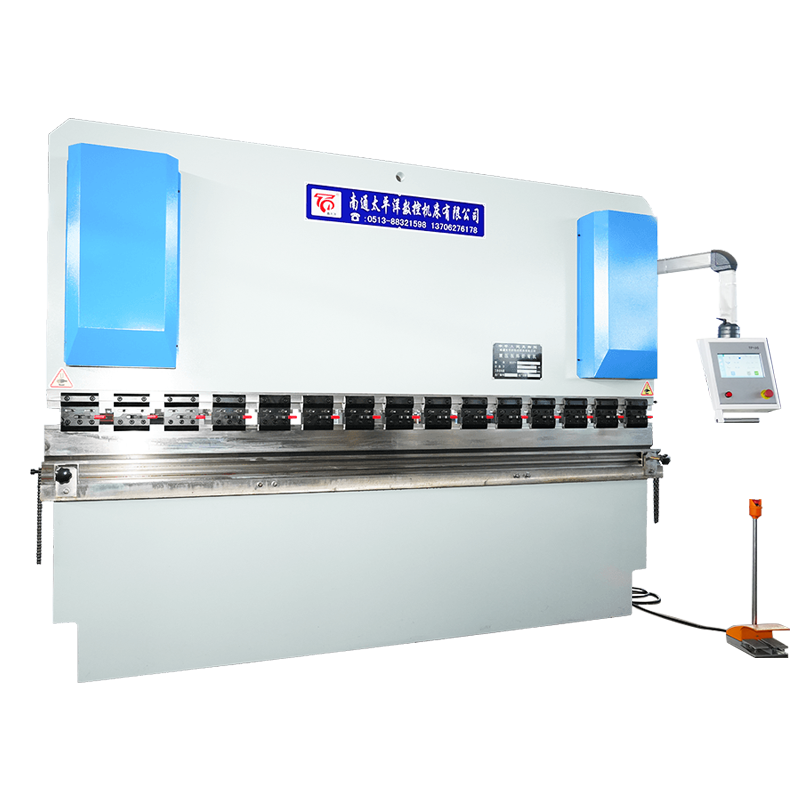 WC67K Series Torsion-Axis Synchronous CNC Press Brake for Economical BendingOffering a cost-effective entry into CNC bending, this torsion-axis synchronous machine provides reliable cylinder synchronization and handles standard jobs. It accepts CAM-generated programs via its controller, delivering stable performance without advanced servo complexity.View Product →
Not every machine handles CAM-generated code with the same ease. Before buying, check the controller type, the number of axes, the repeatability of the backgauge, and whether the machine accepts code from your chosen CAM software.
A shearing machine is another point of contact in a sheet metal CAM workflow. The QC12Y/K series CNC standard hydraulic swing-beam shearing machine supports CNC control of backgauge positions, cutting sequence, and blade gap. With a CAM program, the operator can feed a cut list directly into the machine and spend more time on loading and finishing the material.
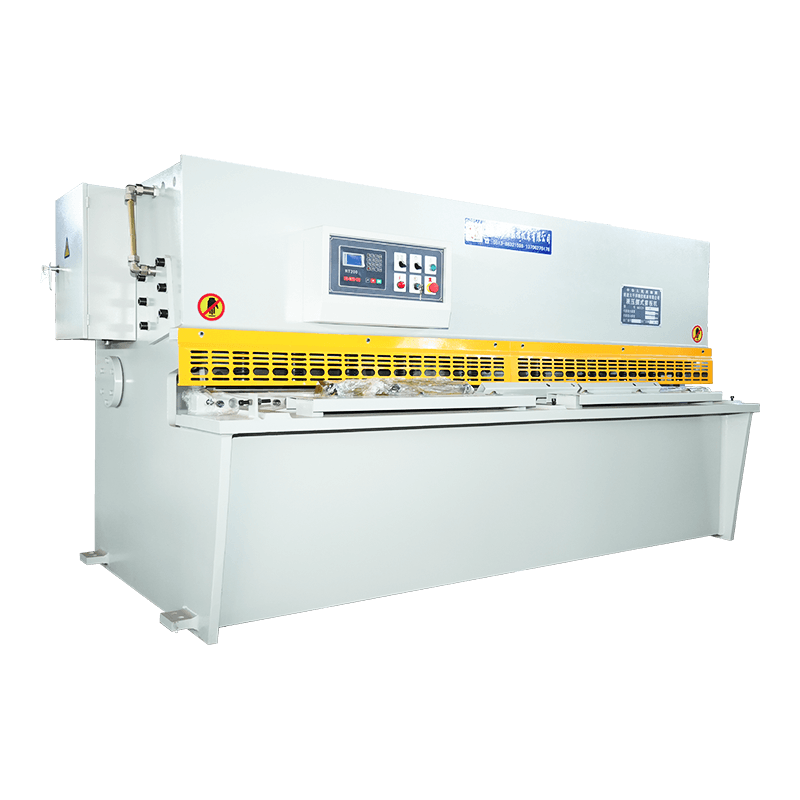 QC12Y/K Series CNC Hydraulic Swing-Beam Shearing Machine for Precise CuttingThis hydraulic shear features a rear stop with inverter control for 0.05 mm positioning accuracy, and a CNC controller storing up to 40 programs. It supports CAM-derived cut lists, allowing operators to focus on loading and finishing while ensuring clean, precise cuts.View Product →
The radar chart below gives a simplified comparison between electrohydraulic servo and torsion-axis synchronous CNC bending machines in five areas that affect CAM integration: axis precision, speed, structural rigidity, cost efficiency, and maintenance ease. Electrohydraulic servo machines usually score higher on precision and speed. Torsion-axis machines tend to have lower initial cost and simpler controls. Choose based on the tolerances your parts require and the budget of your shop.
Here are the most common questions about CAM program CNC that buyers and operators ask.
A CAM program is the machine-ready output of CAM software. It contains toolpaths, axis positions, and process parameters that a CNC controller uses to run the machine.
The best software depends on your machine controller and the complexity of your parts. Look for a package with press brake post-processors, a punch and die library, and bend sequence optimization.
Yes, in most cases. CAM software imports CAD models or DXF drawings. Some CAM packages include basic CAD sketching, but a dedicated CAD program gives more control over part geometry.
Yes. Press brake CAM modules calculate flat patterns, choose bend sequences, and simulate collisions before generating the program. This is especially useful for parts with multiple bends.
For a simple two-bend part, programming plus verification usually takes two to three minutes. More complex parts with six or more bends may take fifteen to thirty minutes.
Confirm the controller is supported by your CAM post-processor, and verify the machine's repeatability. Also check the number of axes, since more axes allow CAM to optimize more complex parts.
Related Products

Contact us
Factory Address
Xichang industrial Park, Chengdong Town, HaianCity, Nantong City, Jiangsu Province, China
Phone
+86-13906278466
products
QR CODE

 English
 русский
 عربى
عربى